Breaking

Showing posts with label PC. Show all posts

Thursday, March 14, 2019

Giveaway on DVDFab Blu-ray Copy & Ripper – Free 1-Year License – for Windows

1-Year License

DVDFab Blu-ray Copy Review at a Glance

Have you ever thought to copy your Blu-ray movies for backup or for playback in different places? Then what you need would be a professional Blu-ray copy tool. DVDFab Blu-ray Copy is a powerful Blu-ray copy tool which provides five modes for you to choose and can help you copy your Blu-ray movies at a fast speed.
This Blu-ray Copy can copy any Blu-ray to any Blu-ray/DVD/AVCHD disc (playback only in Blu-ray Player) or to your hard drive with just one or a few clicks. DVDFab Blu-ray Copy can remove all known copy protections including the newest MKB and bus encryption, BD-Live, and UOPs, thus can copy any Blu-ray to your hard drive, or any blank Blu-ray disc with very fast speed.
Don’t be surprised that DVDFab Blu-ray Copy even can burn Blu-ray to any blank DVD/AVCHD disc (playback only in Blu-ray Player). It will be constantly updated to remove the newest protections and work with all Blu-ray burners and Blu-ray discs.  Blu-ray Copy gives users a customizable copy so that any movie titles can be copied as you like.
3D Blu-ray is fully supported. You can use Blu-ray copy to clone a BD 3D; compress a BD 50 into a BD 25 in original 3D format; copy and convert a 3D Blu-ray to a 2D Blu-ray, and convert Blu-ray 3D to Blu-ray SBS 3D.
DVDFab Blu-ray Copy makes perfect 1:1 ratio clone, also can compress BD-50 to a single BD-25, BD-9 or BD-5 with fabulous effect. Note that you can clone 3D BD with the same effect as the original disc. During the copying process, HD audio can remain. However, when compression is needed, it can be set to remove HD audio or convert DTS/LPCM Audio to AC3 to save space for video.

DVDFab Blu-ray Copy has the power to support both NTSC and PAL Blu-ray. There is no need to install a third party driver since internal UDF 2.50 parser is included to read Blu-ray. It also supports multi-core CPUs, and what’s more, the newest NVIDIA CUDA to ensure the fastest copy speed.

Features

Key Features of DVDFab Blu-ray Copy:
  • Copy Any Blu-ray to Blu-ray/DVD Disc or Hard Drive
    • Burn Blu-ray movie to any blank Blu-ray disc like BD-R 25, BD-RE 25, BD-R 50 and BD-RE 50.
    • Burn Blu-ray to any blank DVD disc like DVD+R/RW, DVD-R/RW, DVD+R DL and DVD-R DL
    • Backup your Blu-ray toan DVD disc while you need to choose the output as BD 5 or BD 9.
  • Copy Fast with 5 Different Copy Modes
    • Full Disc
    • Main Movie
    • Customize
    • Clone/Burn
    • Merge
  • Copy Blu-ray with or without Compression
    • Make perfect 1:1 Blu-ray clone without any loss.
    • Copy Blu-ray with compression completely with outstanding output quality.
    • Remove HD audio to allow more space and reduce the amount of video compression.
    • Remove the HD audio by converting Dolby TrueHD to Dolby AC-3, DTS-HD audio to DTS.
  • Flexible settings cater to your copy needs
    • Write speed, burning engine, encoding speed, audio and subpicture tracks, etc.
  • Designed for Ease of Use
    • An intuitive, neat and step-by-step process layout.
    • Settings for user convenience, including multi-language support,
    • A built-in Blu-ray preview window,
    • And more.
    • Download

      Not sure if DVDFab Blu-ray Copy does what you need? Try it out now. Please feel free to download DVDFab Blu-ray Copy for Windows/Mac OS X here. This blu-ray cloner by DVDFab has been tested professionally and we are assured that no viruses, Trojans, adware or malware contained.
    • DVDFab Blu-ray Copy Giveaway is available now free for a limited time!
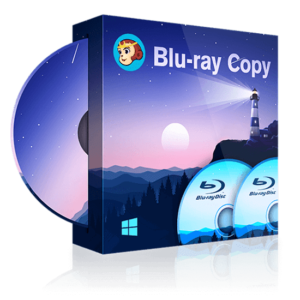
  • DVDFab Blu-ray Copy review free download license key
    DVDFab Blu-ray Copy review free download license key

DVDFab Blu-ray Copy + Blu-ray Ripper - 1 year
  • HINTS:
    • In this offering box, click on the BUY NOW button in this offering box
    • You will go to the registration page by DVDFab.cn
    • Fill in the form with your email then click on the SENDEN button
    • You will receive the registration details with the 1-year license in your email inbox
    • Download the program form this page above (Choose the WINDOWS version)
    • Install it & activate the full version with the license you've got. Enjoy
  • TERMS:
    • The license valid for 1 year
    • The license can be used on 1 PC
    • No Free Updates & No Support
    • Personal use only
Free$129.80
Last day

Giveaway on Tuneskit Audio Capture 2.0 – Smartest Audio Grabber – For Windows

Tuneskit Audio Capture 2.0 Review at a Glance

Tuneskit Audio Capture 2.0 is a versatile and easy-to-use multi-track audio recording software capable of capturing a single or multiple tracks simultaneously and saving all records independently in original high quality. You can play different tracks on several programs at the same time without worrying the audios would mix together.
You are also provided with the option to merge all recorded audio tracks together into one file. All the recording tasks will be accomplished within one click only.

Features

Key Features of Tuneskit Audio Capture 2.0:
  • Convert and save audio records to MP3, AAC, WAV, FLAC, M4A, M4B
  • Fix and edit ID3 tags for recorded audios
  • Customize and edit output audio quality more flexible
  • Split, cut and mix recorded audio tracks

Requirements

To run Tuneskit Audio Capture 2.0 with optimum reliability and performance, your system should match the following requirements:
  • Operating System: Windows XP, Vista, 7, 8, 10 (32-bit & 64-bit)
  • Processor: 1G Hz processor, or above
  • RAM: 512MB or higher RAM
  • Monitor: Monitor with 1024×768 pixels or higher resolution

Download

Not sure if Tuneskit Audio Capture 2.0 does what you need? Try it out now. Please feel free to download Tuneskit Audio Capture 2.0 free trial for Windows here. This audio grabber by  Tuneskit has been tested professionally and we are assured that no viruses, Trojans, adware or malware contained.

Tuneskit Audio Capture 2.0 Giveaway is available free for a limited time!
Tuneskit Audio Capture review free download registration code giveaway
Tuneskit Audio Capture reviews free download registration code giveaway.

Tuneskit Audio Capture 2.0 - Giveaway
Get the full version copy of the Audio Capture 2.0
  • HINTS:
    • In this offering box, click on the BUY NOWbutton
    • You will go to the download page by MEGA.NZ
    • Click on the DOWNLOAD button to start downloading the program
    • After downloaded, extract the package & install it
    • Once installed, Go to Menu in the top right ñorner --> 'Register'
    • Enter your e-mail and the following code to activate the full version:
      2c482051314015e2fb0ea4d74a18f0471b762760d9
    • Done. Enjoy the full features
  • TERMS:
    • Software version: v2.0.1
    • License Period: lifetime
    • No free updates/upgrade
    • No free support
    • Personal use only
    • The registration code can't be re-used if you uninstalled it.
Free$49.95
Last day

    Giveaway on Leawo Prof. DRM Video Converter – for Windows/Mac OS X .

    Free Registration Code

    Leawo Prof. DRM Video Converter Review Video

    100% Software Giveaway on Leawo Prof. DRM Video Converter – iTunes Video DRM Removal and Converter – for Windows/Mac OS X .

    Leawo Prof. DRM Video Converter Review at a Glance

    iTunes M4V files under the protection of Apple DRM are restricted to be played on Apple’s iOS devices and Apple TV only, which limits the ways to play back iTunes M4V files on other devices. To transfer iTunes movie to Sony PlayStation Vita and freely enjoy iTunes M4V files, what you should do first is to remove DRM from iTunes M4V files and then convert M4V to MP4. Therefore we need to switch to a professional iTunes movie DRM removal. Leawo Prof. DRM Video Converter is such a best DRM removal, and it can play the role of a DRM media converter as well.
    Leawo Prof. DRM - Video Converter
    Leawo Prof. DRM – Video Converter
    Leawo Prof. DRM Video Converter removes DRM and convert iTunes M4V video, movies, and TV shows to MP4 at 50X faster speed with 100% original quality reserved, Dolby 5.1 surround sound audio tracks and subtitles selectable for playing on any device.
    Moreover, this DRM media converter even allows you to select audio tracks and subtitles for keeping in the output. You can select all of them, or just one audio track and one subtitle that you are familiar with. Many multi-channel surround sounds are supported like Dolby 5.1 Surround Sound.

    Features

    Key Features of Leawo Prof. DRM Video Converter:

    • Remove DRM iTunes M4V movies and TV shows
    • convert iTunes M4V movies and TV shows to MP4
    • 50X faster speed with 100% original quality reserved,
    • Dolby 5.1 surround sound audio tracks
    • Subtitles selectable for playing on any device
    • Easy to Use even for Software Greenhand
    • Compatible with All Versions of Windows Operating System
    • Detailed Information of Video File Viewable
    • Able to Multi-task
    • Quick Searching for Target File

    Download

    Not sure if Leawo Prof. DRM Video Converter does what you need? Try it out now. Please feel free to download Leawo Prof. DRM Video Converter for Windows or Mac here. This DRM removal & iTunes Movies converter by Leawo Software has been tested professionally and we are assured that no viruses, Trojans, adware or malware contained.

    Leawo Prof. DRM Video Converter Giveaway is available free for a limited time for Windows & Mac Users!
    Leawo Prof. DRM Video Converter Review free download coupon
    Leawo Prof. DRM Video Converter Giveaway
    Please note that once you signed in, do not close this page. You will be shown how to get this offer for free.
    Also, check out the latest software giveaways that are available here on the software giveaway page.

    Leawo Prof. DRM Video Converter (Giveaway)
    1-year License / PC
    Get 1-year license key for free for 1 PC
    • HINTS:
      • In this offering box, click on the BUY NOW button
      • You will go to the promotion page by Leawo.org
      • Few scroll down until you see 'Prof. DRM Video Converter - 2019 March Giveaway Edition'
      • If you are a Windows user, click on 'GET WIN NOW' button. and if you are a Mac user, click on 'GET MAC NOW'
      • Fill in the form with your Name & Email. Then, click on 'GET IT NOW' button
      • Then, you will be directed to the thank-you page contains your registration code
      • Download the installation setup from our deal page above on the download section (Windows & Mac available)
      • Once downloaded, install it, launch the program, and activate the Prof. DRM Video Converter with the registration code you've got.
      • Done. Enjoy the full features
    • TERMS:
      • License valid for 1 year
      • Free Updates
      • No free support
      • Personal use only
    Free$19.95
    Last day

    Comments system

    Disqus Shortname

    Comments System

    Disqus Shortname

    Disqus Shortname

    theme-daddy

    Comments System

    [blogger][disqus][facebook]
    Powered by Blogger.